Running two Claude Code accounts on one machine
contents 09
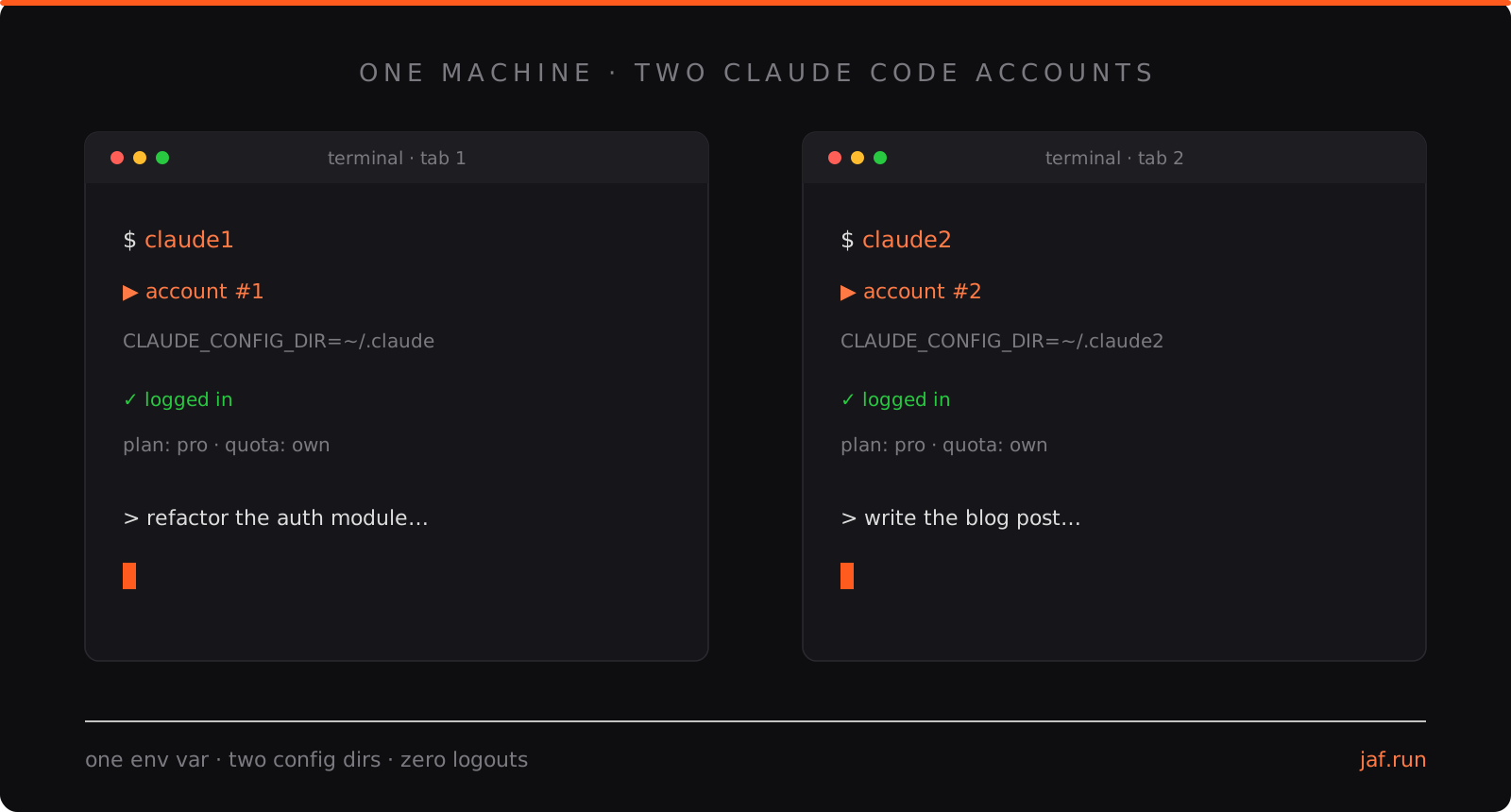
I paid USD 100 a month for Claude Max and never managed to use it up. Two Pro accounts at USD 40 turned out to be the better deal: one environment variable, two shell aliases, zero logouts. Works on macOS, Linux, and Windows.
Why I needed this
I ran Claude Code on the Max plan for several months. Every month the same story: the billing cycle ended and I still had limit left over. I was paying for headroom I never touched. Max is built for people who hammer it all day, and my usage just never got there. For me it was overkill, and at USD 100 a month, expensive overkill.
So I went looking for the opposite trade: could I run two cheaper Pro accounts simultaneously on one laptop, and switch between them when one hits its limit? Turns out yes, and the hack is almost embarrassingly small. If you only care about the savings, jump straight to the math.
The problem
Claude Code stores everything in one config directory (~/.claude by default): your OAuth credentials, settings, session history, plugins, skills, MCP server configs, all of it. Log in with a different account and it overwrites the credentials in place. There is no built-in “switch account” command, and constantly re-running /login is miserable.
What I wanted:
- Both accounts logged in at all times
- Run them simultaneously in separate terminals
- Zero shared state: separate history, separate settings, separate usage limits
- No API keys (subscription billing, not pay-per-token)
The one variable that matters
Claude Code respects an environment variable called CLAUDE_CONFIG_DIR. Whatever directory you point it at becomes the config home for that process: credentials, settings, history, everything. Point two processes at two different directories and you have two fully independent installations sharing one binary.
That is the entire trick. The tabs below should already have your OS selected; switch manually if you are reading on one machine and setting up another.
The setup
Add two aliases to your ~/.zshrc (zsh is the default shell on macOS):
# Two isolated Claude Code accounts (separate config dirs = separate everything)
alias claude1='echo "▶ account #1" && CLAUDE_CONFIG_DIR="$HOME/.claude" claude'
alias claude2='echo "▶ account #2" && CLAUDE_CONFIG_DIR="$HOME/.claude2" claude'
Reload your shell and log in once per account:
source ~/.zshrc
claude1   # run /login, authenticate with account #1
claude2   # run /login, authenticate with account #2
Add two aliases to your ~/.bashrc (or ~/.zshrc if you run zsh):
# Two isolated Claude Code accounts (separate config dirs = separate everything)
alias claude1='echo "▶ account #1" && CLAUDE_CONFIG_DIR="$HOME/.claude" claude'
alias claude2='echo "▶ account #2" && CLAUDE_CONFIG_DIR="$HOME/.claude2" claude'
Reload your shell and log in once per account:
source ~/.bashrc
claude1   # run /login, authenticate with account #1
claude2   # run /login, authenticate with account #2
If you run Claude Code inside WSL on a Windows machine, this is your tab too: WSL is a Linux environment.
PowerShell aliases cannot set environment variables, so use functions instead. Open your PowerShell profile:
# create the profile file if it does not exist yet, then open it
if (!(Test-Path $PROFILE)) { New-Item -ItemType File -Path $PROFILE -Force }
notepad $PROFILE
Add the two functions:
# Two isolated Claude Code accounts (separate config dirs = separate everything)
function claude1 { Write-Host "> account #1"; $env:CLAUDE_CONFIG_DIR = "$HOME\.claude";  claude @args }
function claude2 { Write-Host "> account #2"; $env:CLAUDE_CONFIG_DIR = "$HOME\.claude2"; claude @args }
Reload the profile and log in once per account:
. $PROFILE
claude1   # run /login, authenticate with account #1
claude2   # run /login, authenticate with account #2
The banner line (echo on Unix, Write-Host on Windows) is optional but I recommend it: when you have two terminals open running two accounts, a one-line label telling you which one you are talking to saves you from burning the wrong quota on a heavy refactor.
On the first run of claude2, Claude Code sees an empty config dir, treats it as a fresh install, and walks you through onboarding. Log in with the second account and you are done. Forever. Both stay authenticated independently because each one reads and writes credentials inside its own directory.
The math
This whole hack exists because of pricing. Claude Code runs on your Claude subscription, and the two relevant tiers are Pro at USD 20 per month and Max at USD 100 per month.
| Setup | Monthly cost | What you get |
|---|---|---|
| One Pro account | USD 20 | the baseline quota |
| Two Pro accounts | USD 40 | double the quota, two parallel sessions |
| Claude Max | USD 100 | 5x the Pro quota, one account, one session cap |
Max makes sense if you genuinely chew through five times the Pro limit. I did not, not even close, so most of that USD 100 was buying quota that expired unused every cycle. Two Pro accounts cost USD 40 and cover the same real-world usage, which is USD 60 saved every month, or USD 720 a year. And the setup is four lines of shell.
The other half of the math: this works on subscriptions, not the API. Subscriptions are flat-rate, and for daily coding they are generally far cheaper than pay-per-token API billing, where a single heavy agent session can burn through dollars in minutes. Everything in this post stays on plain subscription logins.
What actually gets isolated
Everything, which is both the feature and the thing to be aware of. Each config dir holds its own:
- Credentials: separate OAuth sessions, separate usage limits
- Settings:
settings.json, permissions, model preferences - History and sessions: conversations never mix
- Plugins, skills, MCP servers: installed per directory
- Memory and
CLAUDE.md: the global instructions file lives inside the config dir
I deliberately keep one directory as the “rich” one: that is where all my skills, MCP servers, and accumulated memory live, the working environment described on my uses page. The other stays lean, close to a stock install. Which one gets to keep the default ~/.claude path is just a matter of which account you were already using before the split.
The advantages
It is cheaper than Max, for my usage. USD 40 instead of USD 100 for the capacity I actually consume. If you were never exhausting Max anyway, you are simply paying less for the same effective coverage.
Two separate quotas. Claude’s usage limits reset on a rolling window per account. When account one runs dry mid-session, I switch terminals and keep working on account two. No waiting for the reset, no interruption to the day.
True parallelism. Two long-running agent sessions at once, in two terminal tabs, each billed to its own subscription. One can be deep in a refactor while the other writes docs.
Clean separation of contexts. Different memory, different skills, different MCP servers per account. The experiments and automation live in one; the other stays predictable and stock.
Failure isolation. A broken setting, a misbehaving MCP server, or a corrupted session in one directory cannot touch the other. One account is effectively an always-ready fallback install.
Gotchas
Shared things stay shared. Project-level files like .claude/settings.json or CLAUDE.md inside a repo apply to whichever account opens that repo. Isolation is per config dir, not per project.
Plugins and skills do not follow you. If you install something useful under one account and want it in the other, you install it twice. Annoying, but it is also the point: the lean account does not need the experimental automation, and vice versa.
The bare claude command still works. Without the variable set it defaults to ~/.claude, so muscle memory falls through to account one. If that worries you, alias plain claude to one of the explicit versions, or to an error.
Why not API keys?
The older way to juggle identities was exporting ANTHROPIC_API_KEY per shell. That works, but it switches you from subscription billing to pay-per-token, and the economics flip against you immediately: an API-billed Claude Code session meters every input and output token, and heavy daily use can cost several times a Pro subscription. The CLAUDE_CONFIG_DIR approach keeps both accounts on plain OAuth logins, so each one draws from its own flat-rate subscription quota.
Two accounts, one machine, zero ceremony. The best kind of infrastructure is the kind you set up once in four lines of shell and never think about again. More small workflow pieces like this live under the tooling tag, and if you want to see what else is on this machine, that is the uses page.
∎ thanks for reading. the rest of the archive is here.